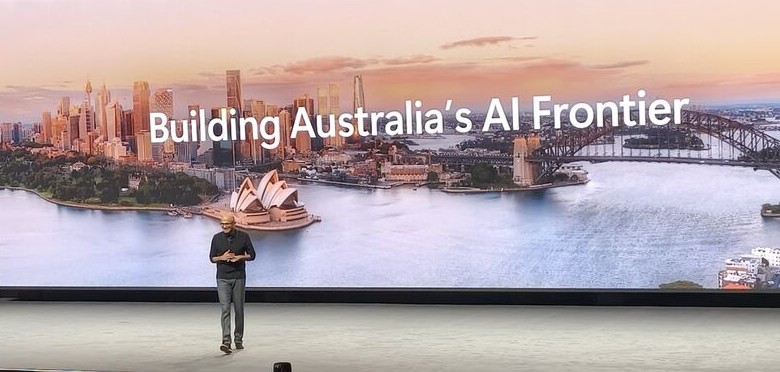
I was in the room at the Microsoft AI Tour Sydney when Satya Nadella, CEO at Microsoft, took the stage with the Keynote, and the first thing that stood out was how little time he spent trying to sell AI.
There was no attempt to prove that AI matters. That argument is already over, everyone is using it.
The real question he focused on was much harder.
If AI is already everywhere, why does most work still look the same?
Because right now, in most companies, AI is sitting on top of existing workflows. It helps you write faster, analyze faster, summaries faster. Useful, yes. But the underlying structure of work hasn’t really changed.
That is the gap this keynote kept circling back to.
And the examples made it clear that something bigger is already underway.
Access to data is getting significantly faster. Work that used to take weeks is being completed in days. Those gains are real, and they are already happening inside organisations.
But that is not the story.
What is starting to change is where AI sits in the process. It is beginning to sit inside the workflow itself and shaping how work moves from start to finish.
With that in mind, everything else he covered started to connect. Let’s see how.
Copilot Has Evolved Beyond Chat
The way Copilot was described in the keynote makes a lot more sense if you stop thinking of it as a chat tool.
- It started as a simple request and response setup, mostly used for searching, summarising, or pulling information.
- Then it moved a step further with reasoning, where it could actually work through problems.
- After that came agents, which meant it could start handling tasks over time instead of responding once and stopping there.
Where it stands now is different again.
Copilot is not tied to a single model or a single way of working, it pulls from multiple models depending on the task, routes requests based on intent, and even allows different models to work together.
Things like critique and counsel modes are built around that idea. One model can generate, another can review, another can challenge or refine. That is a very different setup compared to a single AI answering a prompt.
The more important change is how it behaves.
It is not waiting for instructions in the same way anymore. It can take a task, break it down, move it forward, and stay involved as that task evolves.
Copilot Co-work: The Biggest Change in Day-to-Day Work
The Co-work demo takes this a step further. Instead of asking Copilot to do one thing at a time, the entire interaction was about assigning a set of tasks and letting it run. Not sequentially, but all at once. 
In the demo, it was building multiple outputs in parallel.
An Excel budget based on previous data, a PowerPoint deck using a technical document, messages being sent to the team, and meetings being scheduled. All of this was happening at the same time.
At the same time, control was still there. Nothing was sent or executed without review. Messages, invites, and emails could be checked before it went out. A few things define how this works in practice.
Multiple tasks run in parallel instead of one after another. Work does not reset after each step, it carries forward. You can step in, adjust something, or add new instructions while everything else continues. And at any point, you can see what is done, what is in progress, and what needs input.
This is exactly what Microsoft’s CEO was getting at when he said,
“It feels like that time again where the way we work, the artifacts we create, the workflows that we’re involved in are fundamentally going through a sea change.” — Satya Nadella
Because what this really changes is the rhythm of work. The system is building, updating, and coordinating in the background, while you step in where it actually matters.
That is a very different way of working compared to how most teams operate today.
Copilot Co-work has not fully rolled out yet, but based on how it was shown, this is already being introduced inside the Copilot experience.
Agent Mode Inside Word, Excel, PowerPoint
This was one of the bigger moments in the keynote https://www.microsoft.com/en-us/microsoft-365/blog/2026/04/22/copilots-agentic-capabilities-in-word-excel-and-powerpoint-are-generally-available/
Agent mode is now available across Word, Excel, and PowerPoint, and the way it was explained made it clear that this is going to change how the tools behave.
Excel is where this landed the strongest. You are still looking at the same grid, rows, columns, a pretty familiar layout. What changes is what happens inside it. Rather than manually building everything step by step, you can have the model put together an entire structure for you, then go in, inspect it, tweak it, and keep building on top of it.
And it is not limited to just analysis. The model is actively shaping what you are working with, for example, adjusting logic, creating structure, and responding as the work evolves.
That same pattern shows up in Word and PowerPoint. You are working alongside something that can restructure, expand, and refine as you go, not just filling in content or editing slides.
The tools themselves haven’t been replaced, they still look and feel the same. But what you can do inside them is on a completely different level now.
The AI Platform Stack
After showing how this plays out in applications, Satya moved on to what lies beneath all of it. He broke the platform down into a few core layers, and the structure was very clear.
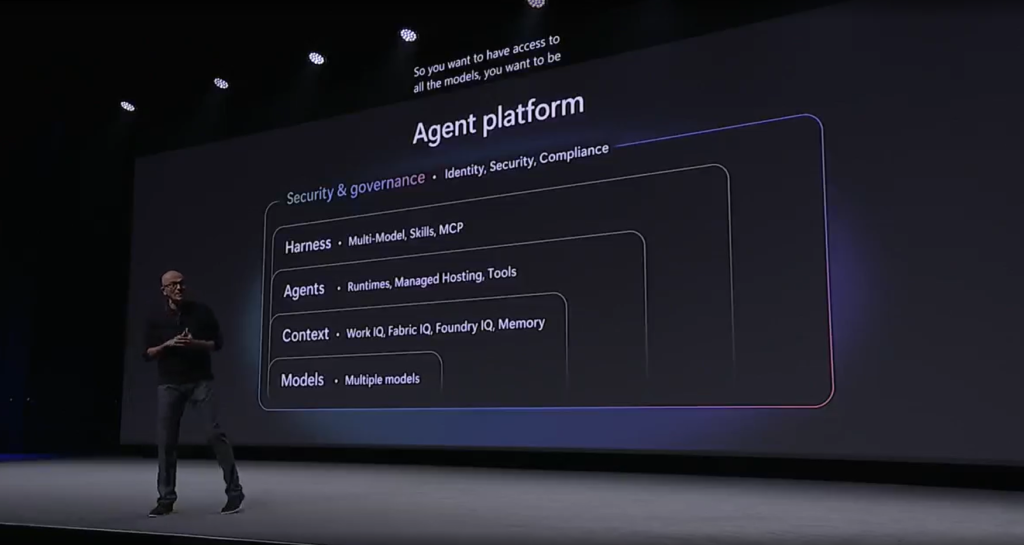
“So you want to have access to all the models. You want to be able to have access to all of the rich context. You then want the agents to be built on top of that, using any model with all the context.” — Satya Nadella
Each of these layers serves a different role.
- Models are the base capability. That includes large frontier models and thousands of others that handle specific tasks across different modalities.
- Context is what makes those models useful inside an organisation. Documents, communication, data, workflows. Without that, the output stays generic.
- Agents sit on top of that and actually execute tasks. Not just one-off responses, but work that runs over time, interacts with tools, and produces outcomes.
- Orchestration connects everything and decides how models, context, and agents work together.
- And then there is security, which is built into every layer rather than added later. Identity, compliance, data protection, all of it needs to hold as these systems scale.
What this section really clarified is that none of the things shown earlier, Co-work, agent mode, or anything else, exist on their own. They are all built on top of this stack.
And that stack is what actually defines how far this can go.
Microsoft Azure Foundry
Up to this point, you have seen what Copilot can do, how Co-work runs tasks, how agents show up inside tools.
Foundry is the layer that sits underneath all of that.
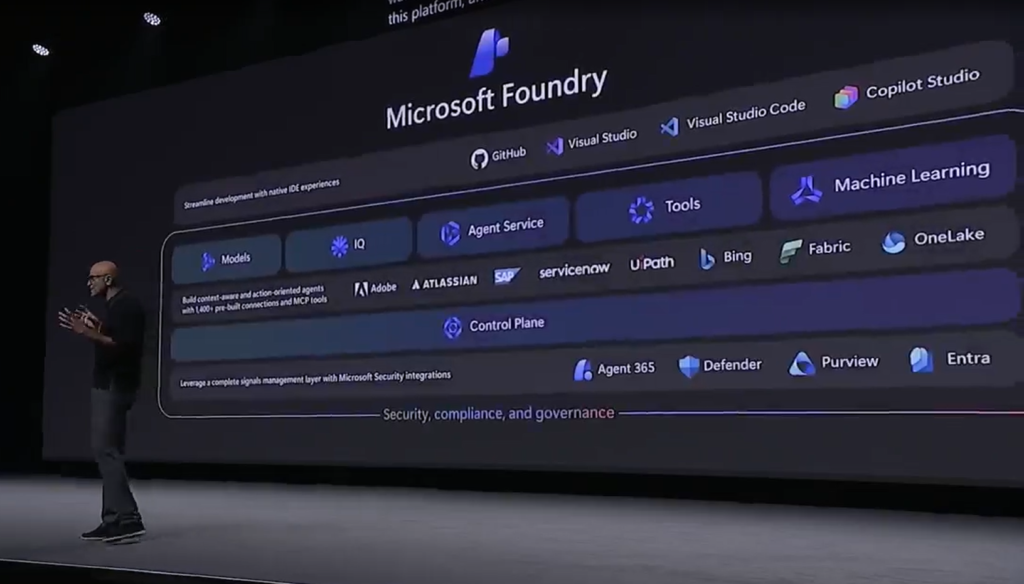
“Foundry brings all of these things together, whether it’s the agent and the multi-agent runtimes, whether it’s models, whether it’s the context layer.” — Satya Nadella
Model Layer
One of the more surprising details was the scale. Foundry already has over 11,000 models available, including the big frontier as well as the smaller, specialized models. Voice, image, transcription, different types of tasks, all evolving alongside the larger models.
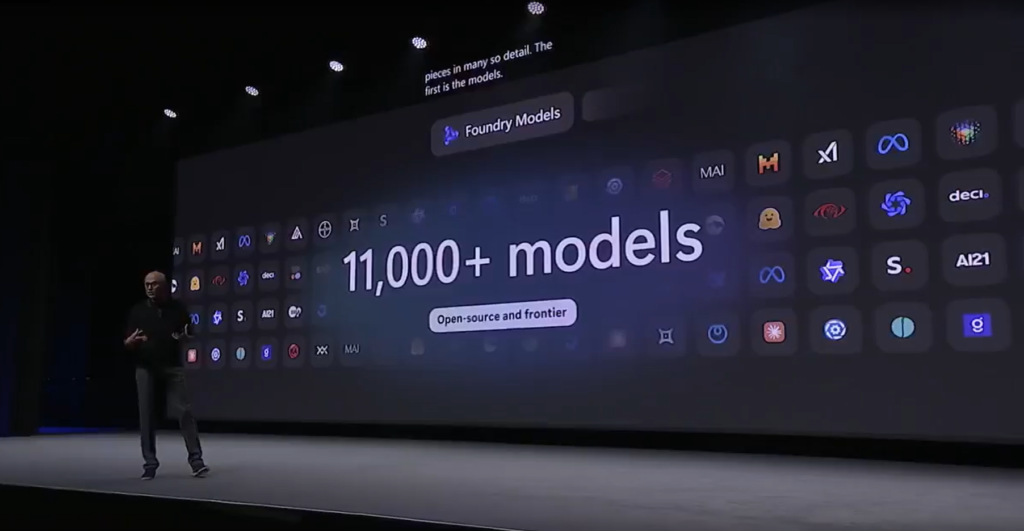
You can switch depending on the task, combine them, or let the system decide what fits best.
That is a pretty big change.
AI used to be about picking the best model now, it is about how you use multiple models together.
Context Layer
This is the part he spent time on, and for good reason.
Models on their own don’t do much inside an organisation. They need context, and that context is already there, just scattered across different systems.
WorkIQ is one piece of that. It pulls in documents, communication, relationships between people, basically how work actually happens inside Microsoft 365.
Then there is Fabric, which brings in structured data. Dashboards, reports, metrics, all the numbers that teams already rely on.
And beyond that, Foundry IQ extends it further. It handles unstructured data and acts more like a planning layer that connects different sources and makes them usable together.
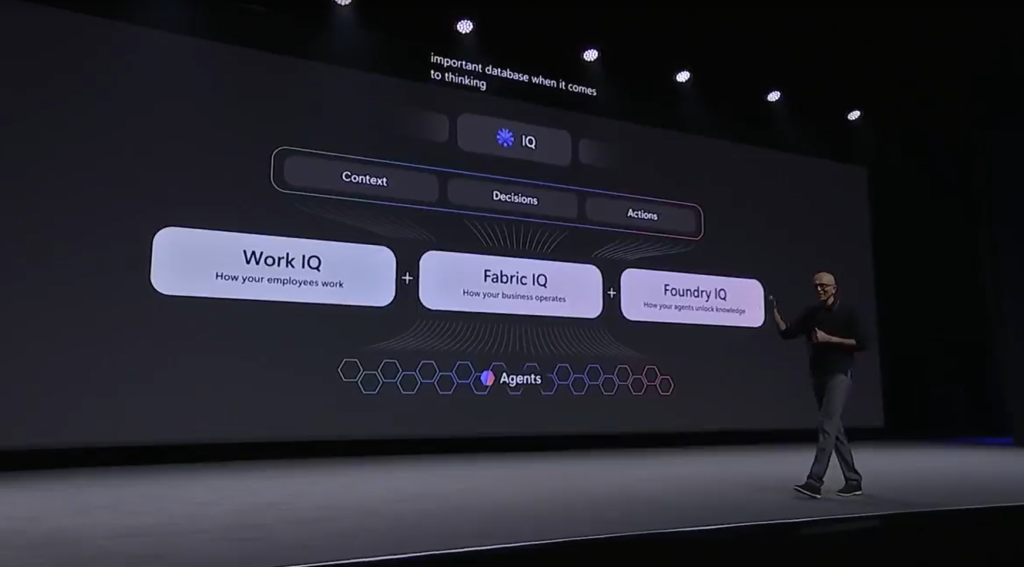
“In some sense, context around the models is perhaps one of the core assets that’s, quite frankly, distributed, right? Every organization has a unique context.” — Satya Nadella
That line sums it up well.
Because at this point, models are becoming widely available. What actually makes a difference is how well that model understands your environment, your data, your workflows.
Agent Layer
On top of models and context, this is where things actually get done.
Agents run tasks over time, remember state, and connect to tools. They keep working even when you are not actively interacting with them.
Satya described this as a new kind of runtime.
Instead of software being a fixed set of instructions, you now have agents that can:
- hold memory
- use tools
- operate across multiple steps
- continue running as the task evolves
That is what allows everything shown earlier, Co-work, automation across apps, long-running tasks, to actually function.
Hosted Agents in Azure Foundry
This was one of the most important parts of the keynote, even though it didn’t get the same “demo attention” as Co-work.
Microsoft introduced a hosted agent service (in preview), and this is where things start to move from “capability” to actual infrastructure.
Until now, most AI interactions have been session-based. You ask something, it responds, and that interaction ends there.
Hosted agents change that completely.
Each agent gets its own runtime environment. It can, for example:
- hold state
- continue running
- pick up where it left off
- operate independently over time
These agents are also isolated, meaning they run in their own sandbox. They don’t interfere with each other, and they can be scaled up or down depending on what is needed.
The capabilities shown and described were pretty clear:
- They can start instantly, without setup delays
- They run in sandboxed environments
- They scale depending on workload
- And most importantly, they can handle long-running tasks
That last part matters more than it sounds.
Because it means you can assign something once, and it doesn’t stop after one output. It keeps working until the task is actually complete.
Developers Are Shifting From Coding to Orchestrating
This part of the keynote felt very real if you have spent any time around development teams lately.
The role itself is starting to move. You are still writing code, but a lot of the work now is about setting direction, reviewing outputs, deciding what runs where, and making sure everything connects properly.
In the demo, you could see how that plays out.
One model generates code, other reviews it, other checks assumptions or logic.
You are not doing every step manually; you are coordinating a system that is already doing a lot of the heavy lifting.
GitHub Starts to Look Different
GitHub was positioned a bit differently here.
“GitHub is not just about the code repo, but it’s also now becoming the place, the control plane for all the agents.” — Satya Nadella
You can see how something was built, the iterations it went through, and the reasoning behind decisions.
The workflow becomes visible, not just the final output. Changes are still tracked, but now there is context attached to them. It feels closer to a working environment than a static repository.
The CLI Is Back, But Not the Same – One of the more interesting points was the return of the command line. But it doesn’t behave the way it used to.
You describe what needs to happen, and the system translates that into actions. It can move across repositories, tools, and environments without requiring manual switching.
What stands out here is how context travels with the task. Discussions, documents, and previous work feed directly into what gets executed.
Real-World Adoption Examples
This was the part where everything stopped feeling theoretical.
Satya walked through a few examples across different industries, and what stood out was how normal all of it sounded.
In banking, he spoke about the Commonwealth Bank.
“I had the chance to meet the team at Commonwealth Bank, where they’ve built and extended both their customer-facing bot with the new capabilities of these models, and also equipped their call center agents to handle escalations more effectively. The productivity gains they’re seeing are tremendous.” — Satya Nadella
Telstra came up next – Around 30% of their customer interactions are already being handled by AI assistants.
Then there was infrastructure, which felt a bit different from the usual AI conversations. The Australian Energy Market Operator is using it to improve how signals are processed across the grid. It is less visible, but probably more critical.
And then sport, which might seem lighter, but wasn’t presented that way.
Cricket Australia is using years of historical data to build more engaging experiences for fans. Real-time insights, deeper statistics, more context around what’s happening. It is already live, with over a million users and a noticeable jump in engagement.
The same direction is being pushed at a national level as well. In a LinkedIn post, Anthony Albanese said:
“More training, better technology and new opportunities for Australians to get ahead. That’s what the massive AI investment Microsoft announced today will mean for Australia. We’re determined to make the most of AI so it benefits workers and businesses across Australia.” — Prime Minister of Australia
When you look across all of these examples, you can tell that AI is already built into customer support, operations, infrastructure, and even engagement layers.
What This Means Going Forward
Step back from the demos, and a simple picture shows up.
Companies that move faster will be the ones that can turn what they already know into working systems and keep improving them. Speed of learning and application starts to matter more than anything else.
Adoption is where most of the friction sits. The tools are ready, how teams use them, how workflows change, and how comfortable organisations are with that change will decide how far this goes.
You can also see this moving beyond individual companies. The scale of investment, the push on skills, and the rollout across sectors all point in the same direction. This reaches into productivity, workforce capability, and how work is organised at a broader level.
Now, the real question is not whether AI fits into your workflow, but
…whether your workflow is built for it.